TrackersByHand · Spreadsheet
Rental Property Tracker
Rent in, expenses out, and a tax summary shaped like Schedule E.
$29 one-time payment · yours to keep
Buy the Rental Property Tracker — $29
Delivered by Payhip as an instant download. Works in Google Sheets and Microsoft Excel.
What it does
The Rental Property Tracker keeps up to 10 properties and 400 ledger rows in one workbook. The Rent Roll holds each lease, the Ledger holds every rent payment and expense, and the Tax Summary sorts the year into the IRS Schedule E categories your tax preparer works from — so tax season is a printout, not a shoebox. Organization, not tax advice: the categories follow Schedule E, and your preparer makes the calls.
- Up to 10 properties and 400 ledger rows
- Rent Roll: tenant, rent, and lease dates per property, with months rented worked out for you
- Ledger: every payment and expense, dated and categorized
- Tax Summary shaped like IRS Schedule E (Form 1040) — rents received and the expense lines, per property and combined
- Dashboard: rent, expenses, and net per property
- Type only in the pale amber cells — every formula cell is locked and protected
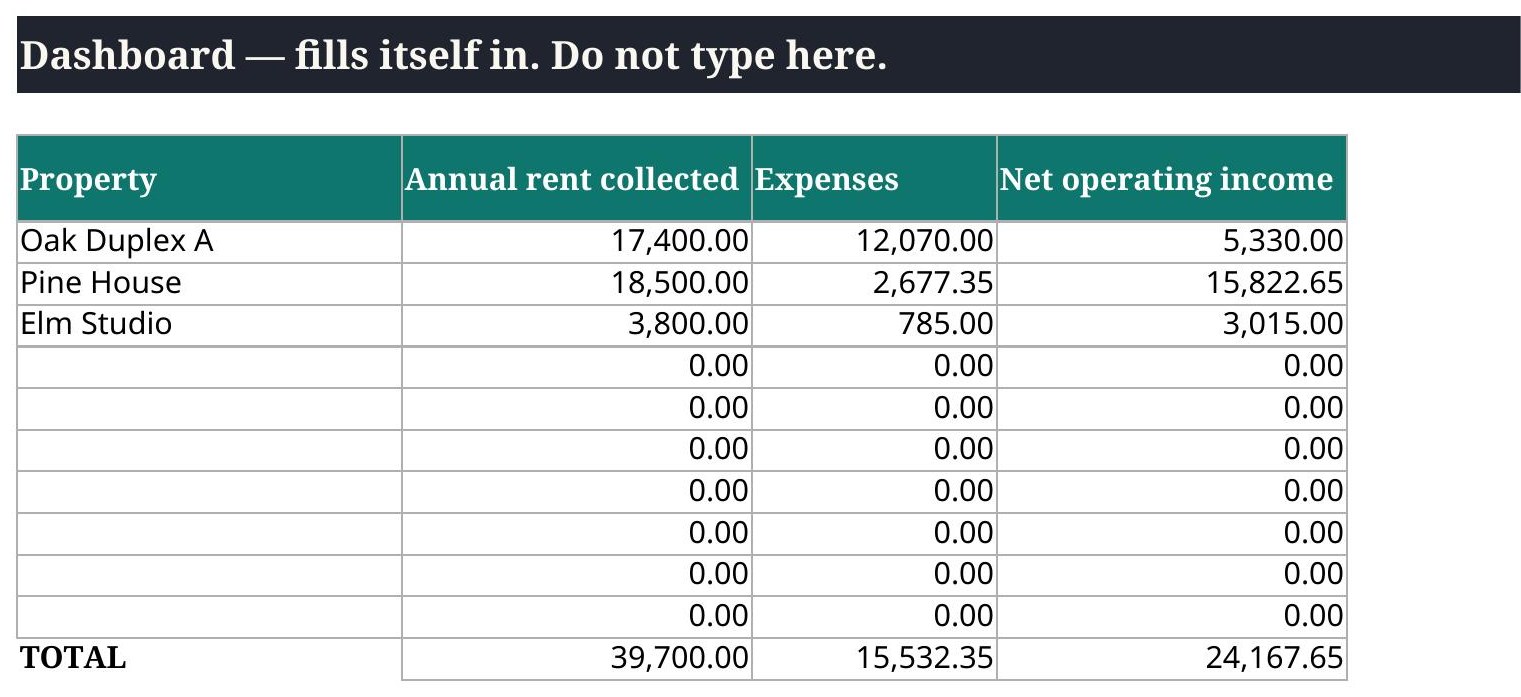
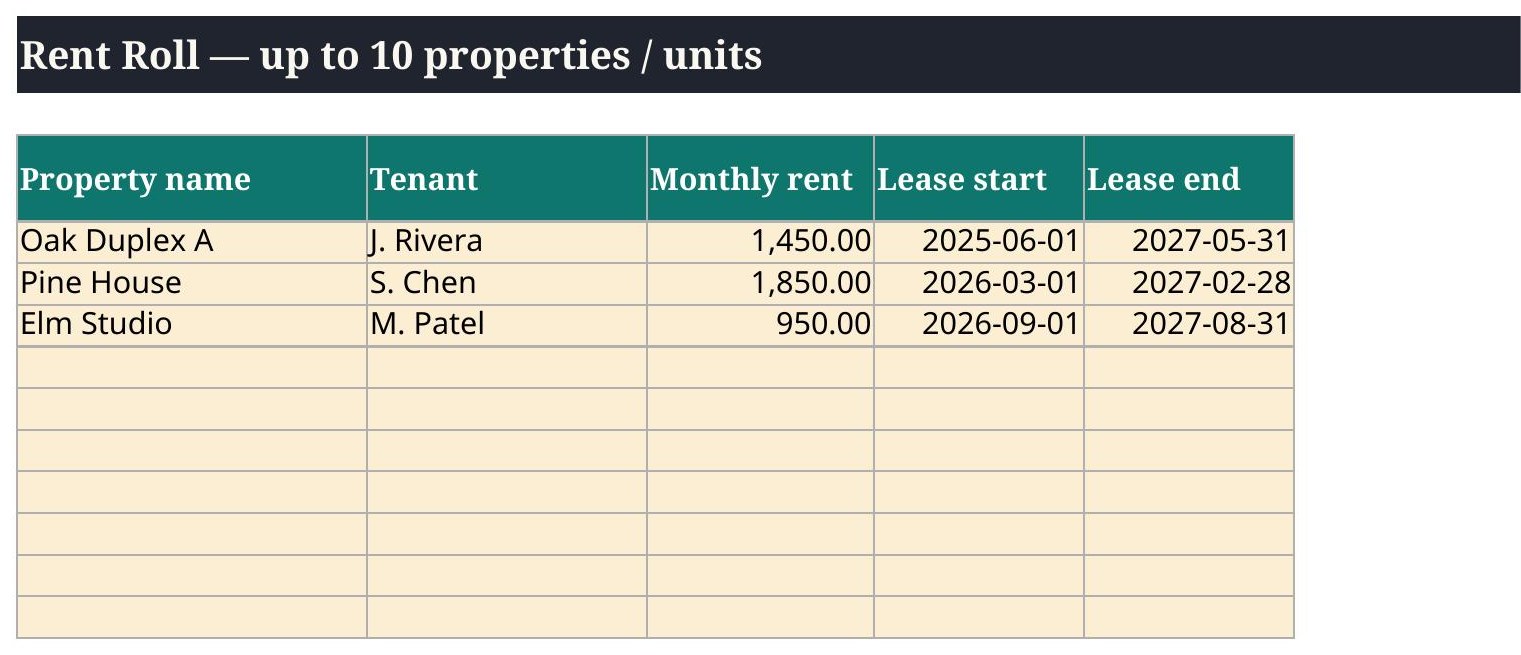
The tabs, exactly as shipped
| # | Tab |
|---|---|
| 1 | Start Here |
| 2 | Settings |
| 3 | Rent Roll |
| 4 | Ledger |
| 5 | Tax Summary |
| 6 | Dashboard |
6 tabs. The tab names above are read from the shipped file itself.
What is inside your download
- Excel copy (clean, ready for your numbers) and a filled Excel example copy
- Google Sheets copy (clean) and a filled Google Sheets example copy
- QuickStart PDF — one page, the setup in plain words
- Version 1.0 — October 2026, with a changelog on the Start Here tab
Questions
Where are my files?
Right after checkout, your download page lists every file: the Excel copy, the Google Sheets copy, a filled example copy of each, and the one-page QuickStart PDF. The same links are in your checkout email. Download them all and keep the clean copies untouched as your backups.
Sheets or Excel — which do I open?
Whichever you use. Open the file with GoogleSheets in its name in Google Sheets (File → Make a copy, then work in your copy), or open the plain file in Microsoft Excel. Both copies do the same math — they were checked against each other.
What if I type over a formula?
You should not be able to: formula cells are locked and every sheet is protected. Type only in the pale amber cells. If a number ever looks wrong, close the file, go back to your clean copy, and re-enter just the pale cells — that is why the clean copy stays untouched.
Can I use it on my phone?
Yes. Both the Google Sheets app and the Excel app open these files, and the formulas work the same. A bigger screen is easier for the wide tabs, but checking a dashboard number on your phone works fine.